What You’ll Learn
- Why Notion templates are a strong first digital product
- Choosing a template idea people actually need
- Building the template step-by-step
- Turning it into a sellable, shareable link
- Pricing and where to sell
- Marketing without an existing audience
Notion templates are one of the most beginner-friendly digital products to build because the entire product lives inside a tool most buyers already use — there’s no coding, no separate software to design in, and delivery is as simple as sharing a duplication link.
Why Notion Templates Are a Strong First Digital Product
The barrier to entry is low (you’re building in a free tool you likely already use), the delivery mechanism is built-in (a public share link with duplication enabled), and buyers can evaluate the product visually before purchasing if you offer a preview. This combination makes it one of the fastest paths from idea to first sale among all digital product types.
Choosing a Template Idea People Actually Need
- Solve a specific, recurring task — a content calendar, a client CRM, a budget tracker, a habit dashboard — rather than a vague ‘life organization system.’
- Build for a niche you understand — a template for freelance writers to track pitches and invoices will convert better with that specific audience than a generic productivity template aimed at everyone.
- Check existing demand by searching your niche + ‘Notion template’ to see what’s already selling and where the gaps are.
Building the Template Step-by-Step
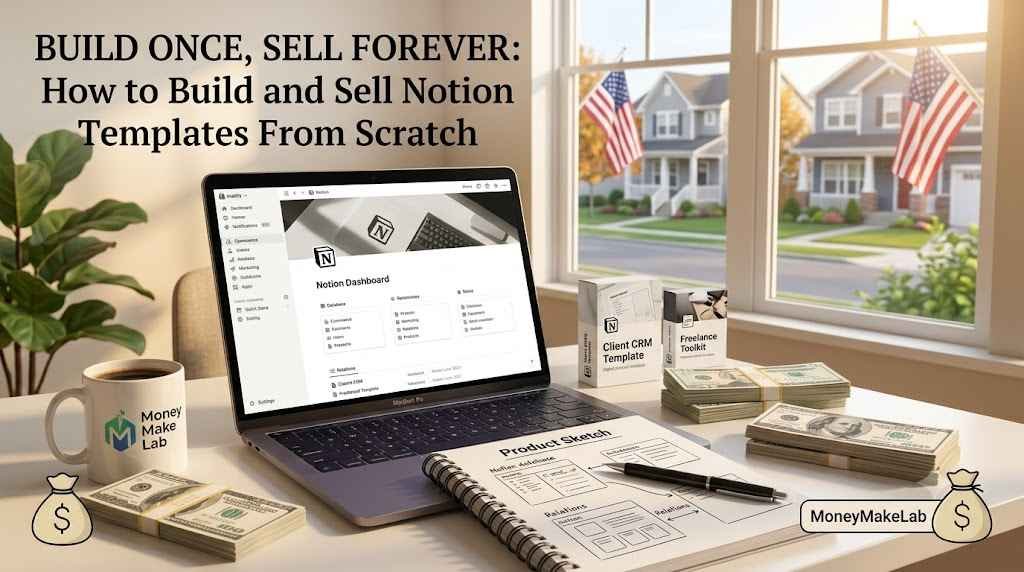
- Sketch the structure first outside Notion (pen and paper or a simple doc) — what databases, views, and pages does the user actually need?
- Build the core databases (tasks, clients, content, whatever fits the use case) with clean, minimal properties — over-complicated templates overwhelm buyers.
- Add at least one polished dashboard/home page that ties the databases together visually — this is often what sells the template in preview screenshots.
- Test it yourself for a full week using it as if you were the buyer, to catch friction points before launch.
Turning It Into a Sellable, Shareable Link
Duplicate your finished template into a fresh Notion workspace, strip out any personal data, and enable ‘Allow duplicate as template’ sharing. This generates the link you’ll deliver after purchase — most sellers deliver it automatically via Gumroad’s file/link delivery feature rather than manually emailing each buyer.
Pricing and Where to Sell
Most standalone Notion templates sell in the $9–$39 range depending on complexity, with bundles (multiple related templates) priced higher. Gumroad remains the most common platform for Notion template sellers due to simple setup and low fees; some creators also list on Etsy for additional discovery traffic.
Marketing Without an Existing Audience
Short-form video (a 30-second scroll-through of the template on TikTok or Instagram Reels) tends to outperform static posts for Notion templates specifically, since the visual, tactile nature of the product demos well in motion. Pinterest is also a strong secondary channel, since ‘Notion template’ is a heavily pinned search term.
Frequently Asked Questions
Do I need a Notion Plus or paid Notion plan to sell templates?
No — you can build and share templates on Notion’s free plan; buyers duplicate the template into their own workspace, which can also be free.
How much can a first Notion template realistically earn?
Highly variable, but many first-time sellers earn a modest amount ($50–300) in the first month from a well-targeted template with active promotion, scaling as marketing and reviews build up.
Can someone steal my template once they buy it?
It’s a real risk with digital products generally — duplication makes copying technically possible. Focus on being the trusted original source with ongoing updates and support, which is harder for copies to replicate.
Ready to validate your template idea?
Our digital products guide covers how to test demand with free content before you invest hours building.